
/screener
Premium stock screener dashboard with filters and presets.
Opens an interactive panel to filter stocks by cap, volume, sector, and dozens of criteria. Results in a paginated table — export and save presets.
Preview
The command opens an interactive dashboard. The initial panel lists presets and filter categories:
Preview
Run Screener
TrendVisionBotToday at 9:30 AM
 Stock Screener
 Presets
Select a preset…
 Short / Borrow
Select a short/borrow preset…
 Filters
📊 Exch & Cap
🏭 Sector
⚡ Technical
📐 Fundamental

Pick a preset (or build your own filters) and press Run Screener to get a paginated results table — here the 🔥 Hot Movers preset:
Preview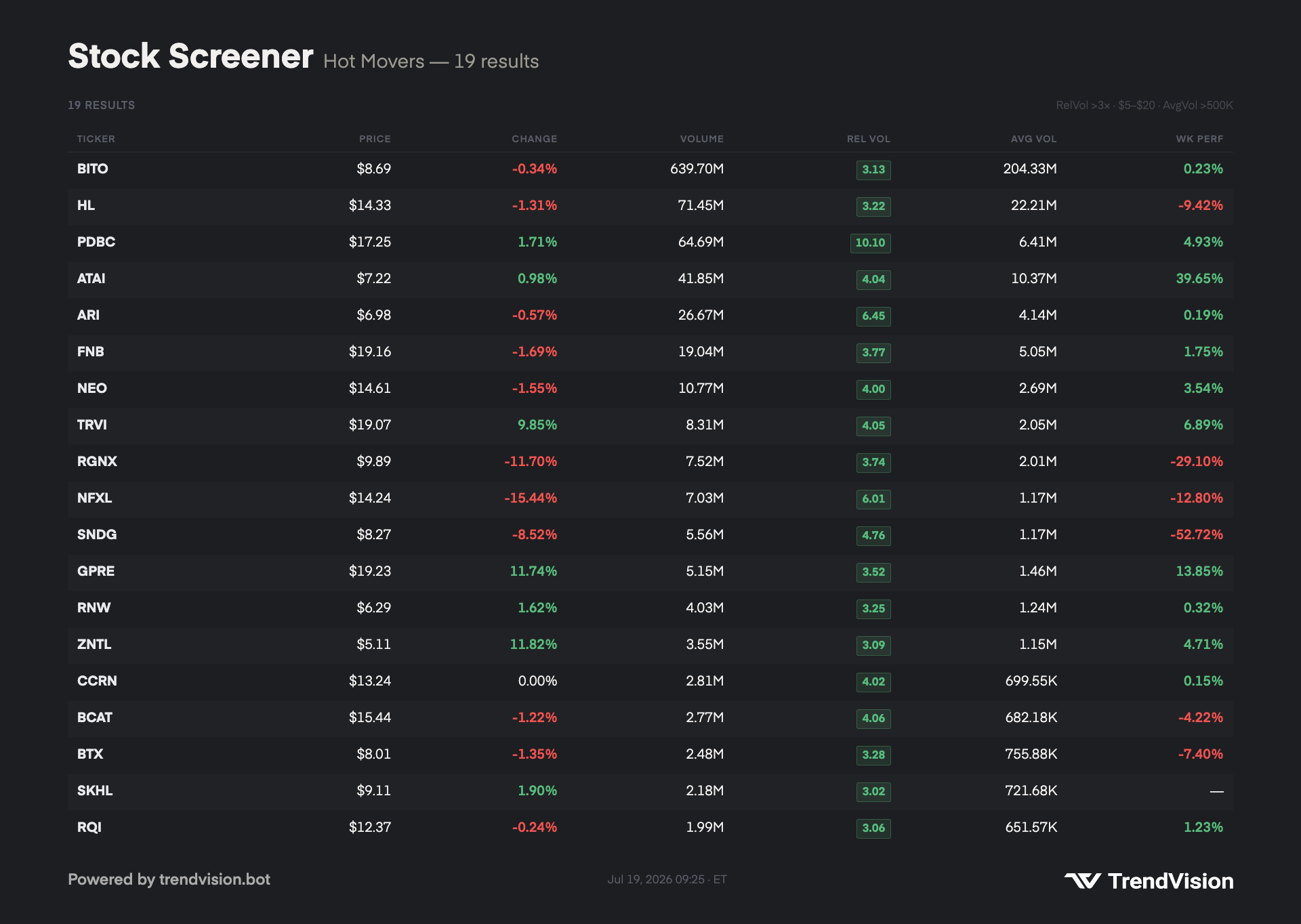
TrendVisionBotToday at 9:30 AM
📎screener-results.png
How to use
/screener| Form | Syntax |
|---|---|
| Slash | /screener (required — prefix does not open the dashboard) |
Parameters
None — the panel opens with default filters; adjust with buttons and menus.
Examples
/screenerWhat you get
Interactive panel in Discord:
- Filters by category (cap, volume, price, etc.)
- Built-in presets and your saved presets
- Paginated table with export
- View switching (overview, etc.)
Related commands
/top-gainers— ready-made movers without filters/most-active— simple activity ranking
Notes
- Slash only —
;screenerasks you to use/screener. - Server channel only.
- Premium feature.